
Listener
The Listener is a public listen-along page for your guests. Anyone on your network can open it on a phone or laptop to see what's playing, what's coming up and the lyrics. Tapping Stream here plays the music in time with your speakers. Guests don't need to sign in.
http://<your-pi>/listen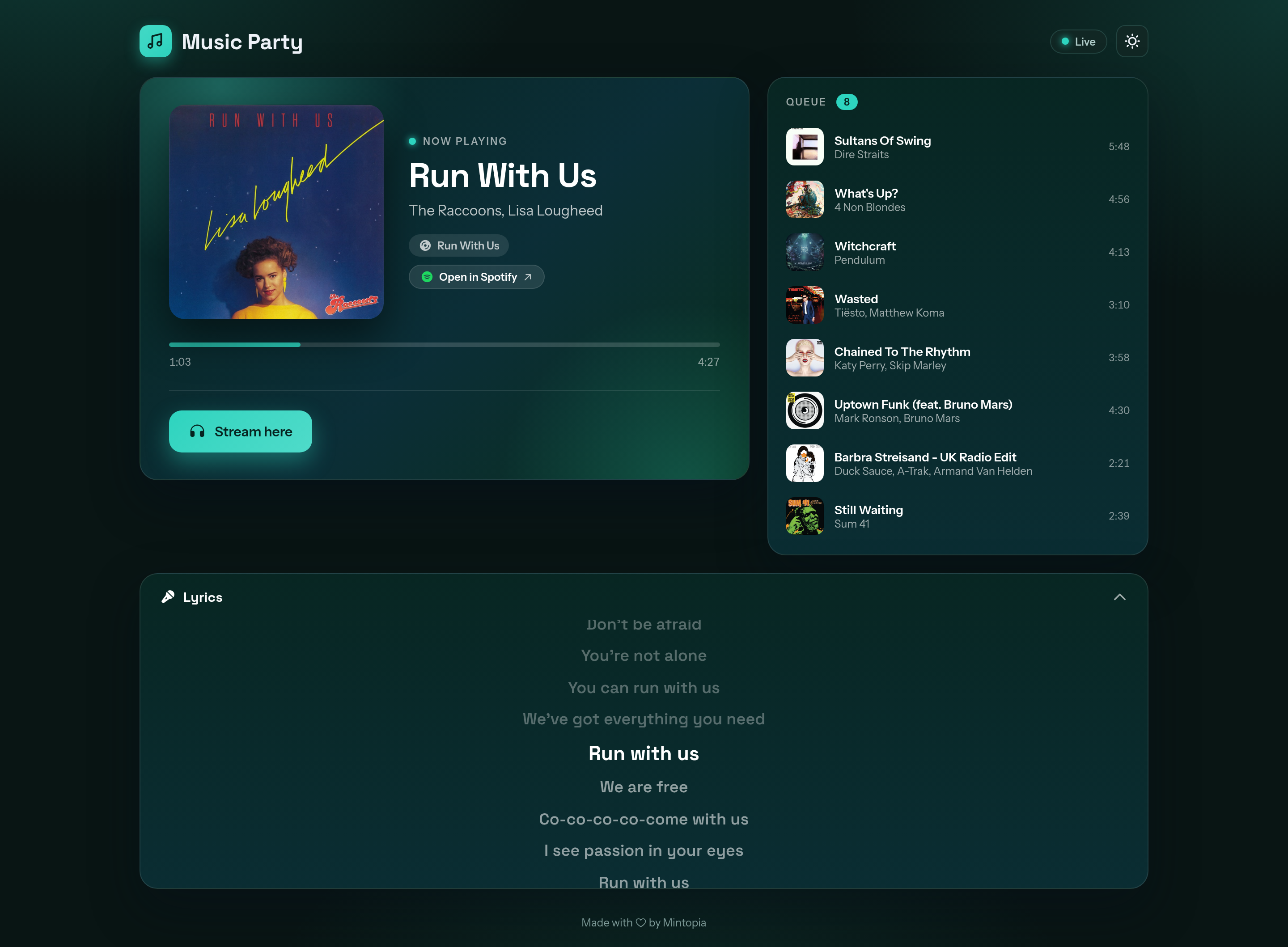
Docker only
The Listener plays your Snapcast stream, so it needs the Docker version with Snapcast turned on.
What guests see
- Now playing. Cover art, title, artists, album and a progress bar.
- Open in Spotify. A new tab with the track in Spotify.
- Queue. Everything coming up next.
- Lyrics. Synced, karaoke-style lyrics from LRCLIB that follow the song. Guests can collapse the panel. It only appears when LRCLIB has lyrics for the track.
- Stream here. Plays the music in their browser, synced with your Snapcast speakers, with its own volume slider. Stop ends it.
- Theme toggle. A button in the top corner switches between light and dark.
When nothing is playing, the page tells guests they'll hear music there once someone starts playing.
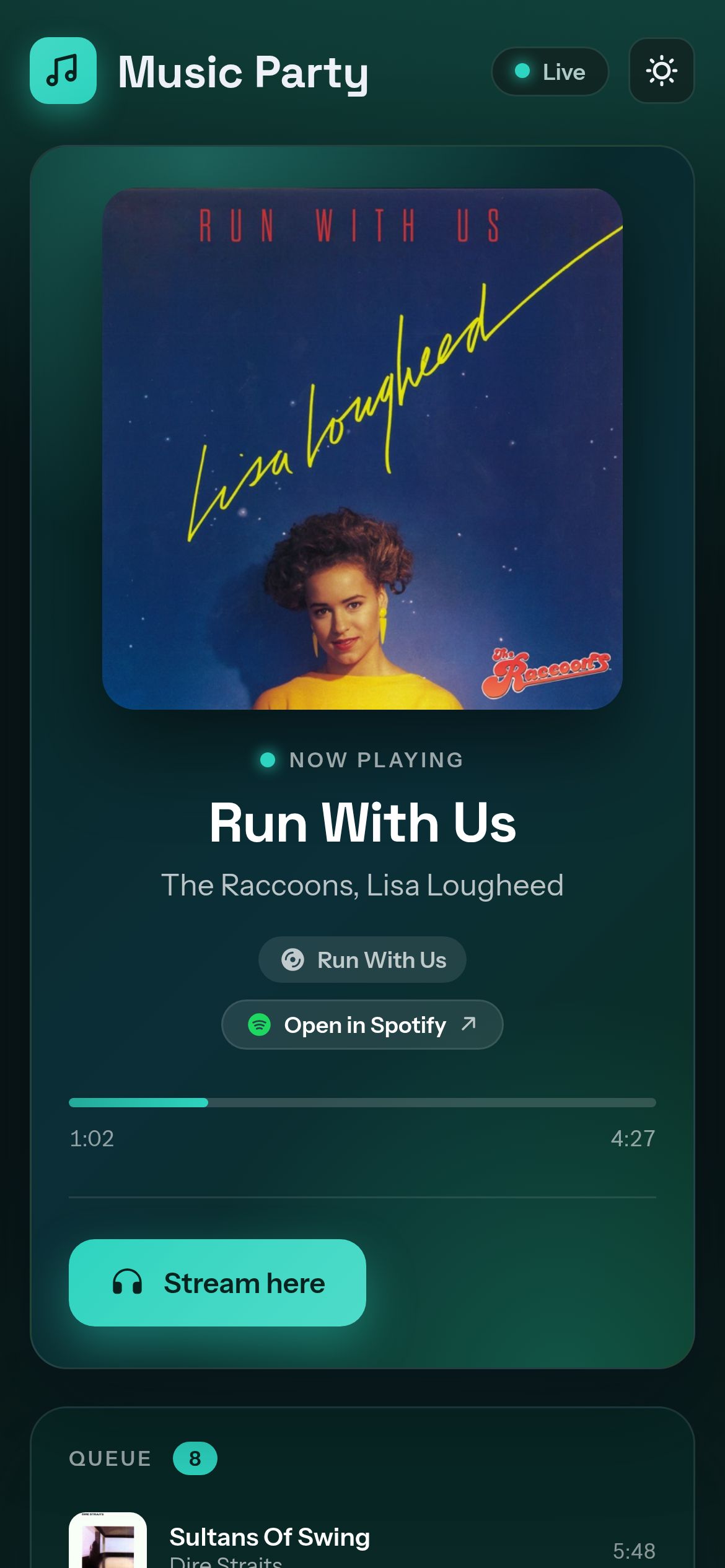
On a phone the page stacks into a single column.
Turning it on
The Listener is off by default. Open Settings → Listener in the console and turn on Public listener page. Turning it on or off needs a Snapcast restart. After you save, a banner offers to restart Snapcast, which briefly drops audio to Snapcast clients.
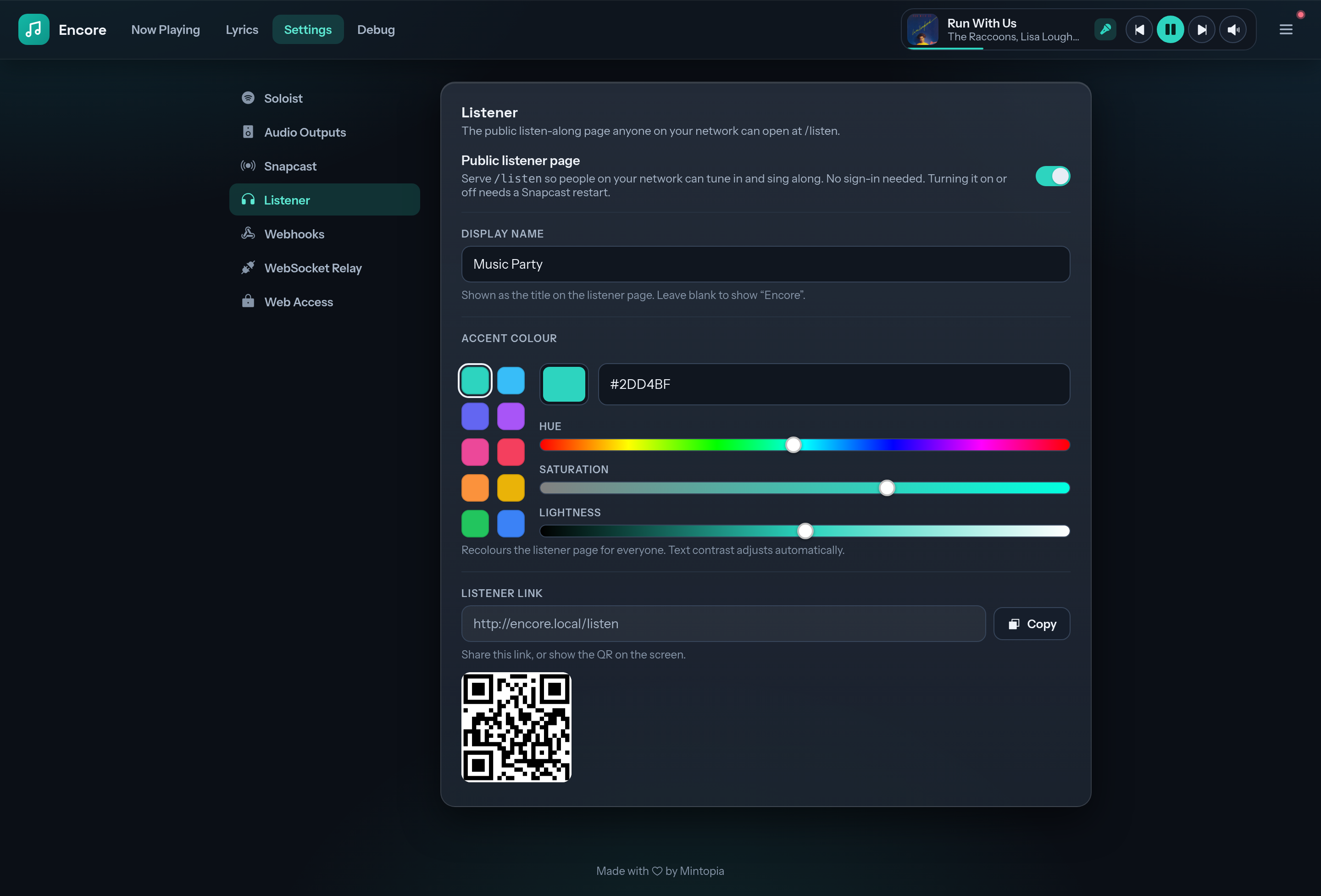
The same page has the Listener link, with a Copy button and a QR code. Put the QR code on a screen so guests can scan it. The link is also in the console's menu, under Public listen.
Open Settings from your network address
The link and QR code use the address you opened the console with. If you're on the Pi itself (localhost), they won't work for anyone else. Open the console from another device, using the Pi's network address, to get a link that works.
Display name and accent colour
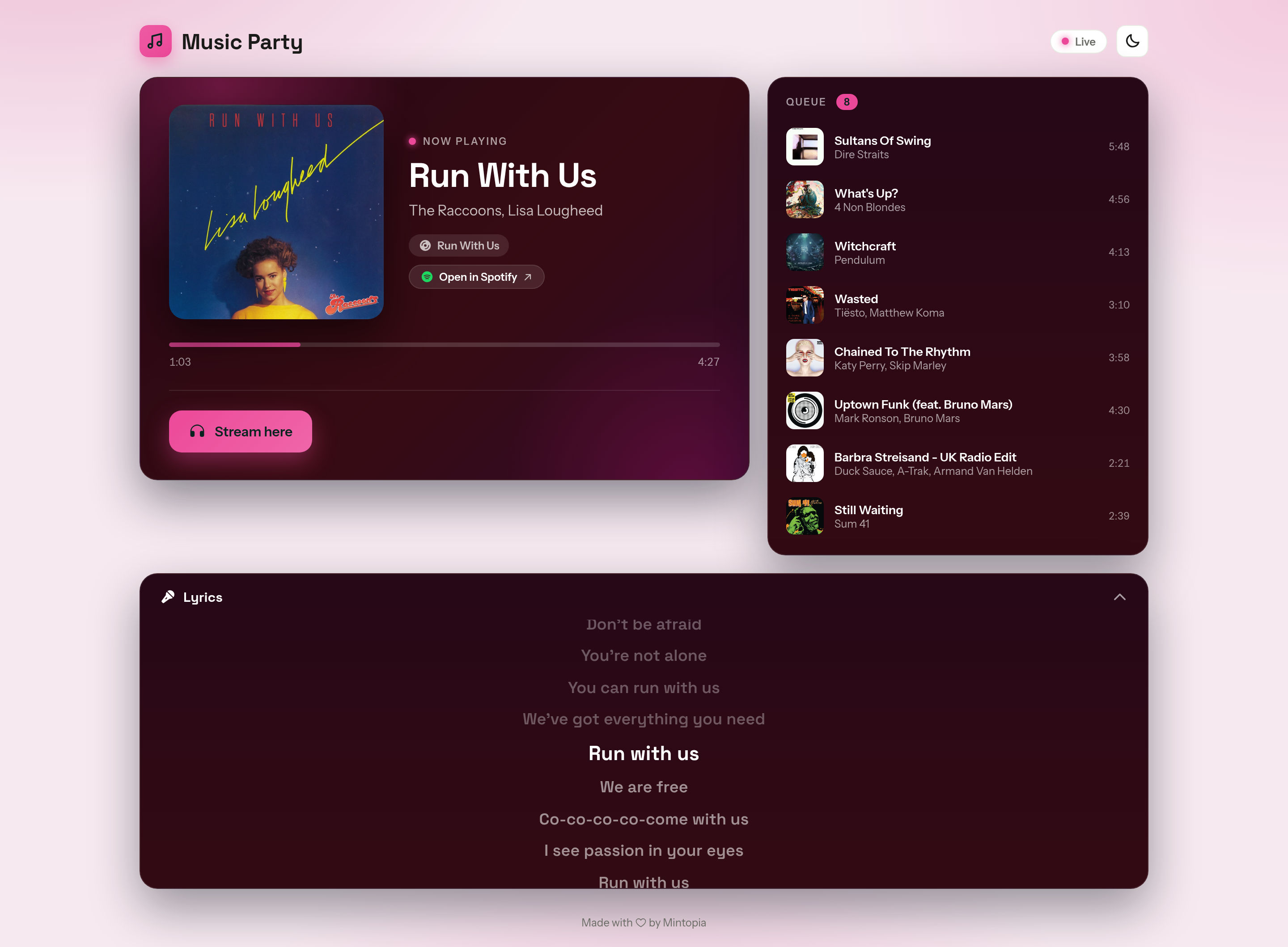
Both settings apply as soon as you save. Guests see the change the next time the page loads.
- Display name. The title at the top of the page, such as your venue or party. Leave it blank to show "Encore".
- Accent colour. Sets the colour of the background, panels, buttons, progress bar and live indicator. Pick a preset, or set your own colour with the hue, saturation and lightness sliders, a hex code or your system's colour picker. Buttons in a light accent get dark text, and buttons in a dark accent get white text.
Is it safe to expose?
Guests can listen, but they can't control anything:
- The page uses the same read-only token as the lyrics overlay. It can watch playback but can't skip, pause or change the queue.
- The Stream here volume slider only changes that guest's own stream. It never changes the Spotify volume or anyone else's.
- Everything goes through Encore's own port. The Listener doesn't open Snapcast's web port (
1780).
Each guest who streams shows up as a Snapcast client named after their IP address, so you can see and adjust them in Snapweb. They drop off the list when they press Stop or close the page.
Configuration
In config.yaml, under snapcast:
snapcast:
  listener: true                  # serve the Listener at /listen
  listener_display_name: ""       # title on the page; blank shows "Encore"
  listener_accent: ""             # accent as #rrggbb; blank is Encore teal